10 Clinic KPIs Every Small Practice Owner Should Track

When you open a small healthcare clinic, your primary focus is entirely on your patients. Whether you are a physiotherapist, social worker, or occupational therapist, you trained to provide excellent clinical care, not to analyze spreadsheets.

However, as your practice grows, relying solely on your “gut feeling” to measure business success becomes dangerous. Are you actually making a profit, or just staying busy? Are your patients finishing their treatment plans, or quietly dropping off after session two?

To answer these questions and build a sustainable business, you need to track Key Performance Indicators (KPIs). Tracking the right clinic KPIs for small practice growth allows you to spot hidden leaks in your revenue, improve your patient experience, and make confident business decisions.

Here are the 10 essential clinic KPIs every small practice owner should be monitoring, broken down by category.

clinic KPIs for small practice

Scheduling & Operational KPIs

Your schedule is the heartbeat of your clinic. Tracking these metrics ensures you are maximizing your time without burning out.

1. No-Show and Cancellation Rate

This is arguably the most critical operational metric. An empty slot is revenue you can never recover. To calculate this, divide the number of missed/cancelled appointments by the total number of scheduled appointments.

2. Clinic Utilization Rate

How full is your schedule? If you have 40 clinical hours available a week, and 30 are booked, your utilization rate is 75%. Tracking this helps you decide if it is time to hire another practitioner or if you need to ramp up your marketing efforts.

3. Intake Completion Rate Prior to Session

How many of your patients complete their paperwork before they arrive? If patients are consistently filling out forms in your waiting room, it cuts into clinical time.


Financial KPIs

You cannot run a sustainable clinic if the math doesn’t make sense. These metrics keep your finger on the financial pulse of your practice.

4. Average Revenue Per Visit (ARPV)

Divide your total monthly revenue by the number of patient visits that month. This tells you exactly what one booked appointment is worth to your bottom line. It helps you accurately forecast your income based on your scheduling utilization.

5. Days in Accounts Receivable (A/R)

This measures how long it takes for you to actually get paid after a session is completed. If you are doing direct billing to insurance or waiting on patient co-pays, a high A/R number means your cash flow is restricted.

6. Collection Rate

Out of all the money you billed this month, how much did you actually collect? If your collection rate is dipping, it might be time to implement secure online credit card processing or require a card on file during your digital onboarding process.


Patient Engagement & Growth KPIs

A healthy clinic doesn’t just attract new patients; it keeps them. These metrics measure the quality of your patient relationships.

7. Patient Retention / Drop-Off Rate

If a treatment plan requires 6 sessions, how many patients actually make it to session 6? A high drop-off rate after the first or second visit usually points to a disconnect in expectations, clinical rapport, or financial friction.

Pro Tip: Keep an eye on when patients drop off. If it is always after the first session, re-evaluate your bedside manner or how clearly you explain the long-term care plan during the initial consultation.

8. New Patient Acquisition Cost (CAC)

If you spend $500 on Google Ads or a community sponsorship, and it brings in 10 new patients, your CAC is $50 per patient. Knowing this number allows you to see which marketing efforts are actually working and which are a waste of money.

9. Patient Wait Time

From the moment a patient walks in the door (or logs into a telehealth link) to the moment the session begins, how much time passes? Consistently high wait times severely damage patient satisfaction and trust.

10. Patient Satisfaction Score (NPS)

Net Promoter Score (NPS) asks one simple question: “On a scale of 1-10, how likely are you to recommend our clinic to a friend or family member?” Sending a quick automated survey after a patient finishes their care plan gives you invaluable, quantifiable feedback on your clinic’s performance.


Stop Tracking Manually: Automate Your Data with CompanyOn

Identifying the best clinic KPIs for small practice success is only half the battle. The real challenge is finding the time to calculate them. If you are spending your Friday evenings pulling data from three different software systems and plugging it into Excel, you are doing it the hard way.

With CompanyOn, allied health professionals can track their practice health effortlessly.

Because CompanyOn is an all-in-one platform, your scheduling, billing, and clinical notes speak to each other seamlessly. You can instantly generate reports to view your no-show rates, track outstanding invoices, and monitor clinic utilization without doing a single math equation.

Stop flying blind and start making data-driven decisions. Upgrade your practice management with CompanyOn and gain total visibility over your clinic’s growth.

Ready to make the switch?

Try Our Platform Free for 14 days.

See CompanyOn in Action

Schedule A Free 1:1 Personalized Demo
Mobile Charting Software for Home Care Nurses

For home care nurses, the “office” is rarely a desk in a quiet clinic. It is the driver’s seat of a car, a patient’s living room sofa, or a table at a local coffee shop between visits. You are constantly on the move, providing critical care in unpredictable environments.

While the independence of home healthcare is rewarding, the administrative burden can be exhausting. If you are relying on paper charts on a clipboard or lugging around a heavy laptop with clunky, desktop-only software, your workday likely doesn’t end when your last visit does. Instead, it ends hours later at your kitchen table as you catch up on documentation.

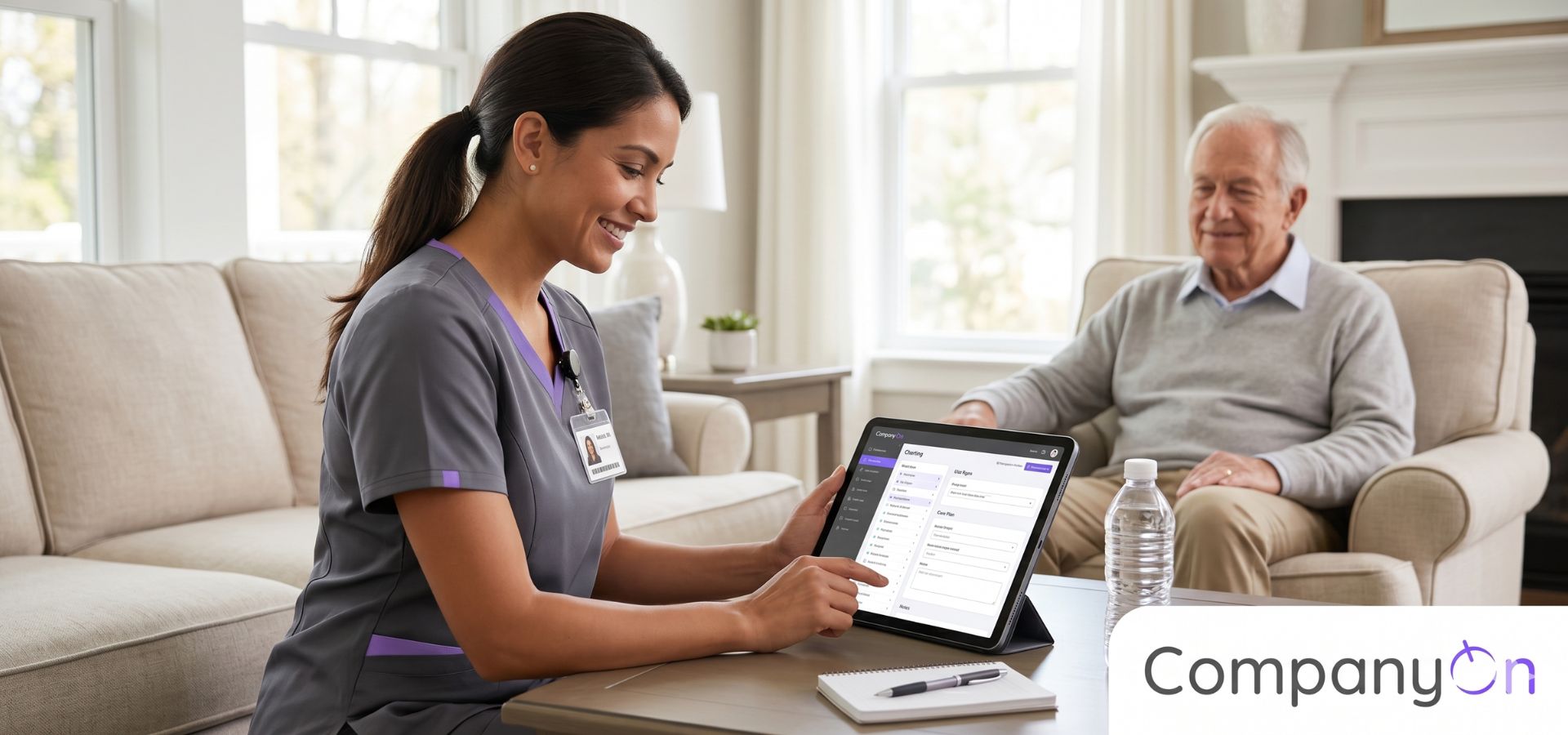
To protect your time and prevent burnout, upgrading your technology is essential. Mobile charting software for nurses is designed specifically for the realities of community-based care, allowing you to document faster, stay organized, and keep patient data secure from anywhere.

mobile charting software for nurses

The Hidden Costs of Paper Charts and “Windshield Time”

When you provide care in a patient’s home, you need all their medical history, care plans, and recent notes at your fingertips. Relying on physical paper files or non-mobile-friendly software creates several massive roadblocks:

  • The Risk of Lost Data: Carrying paper files in your car or bag is a significant security risk. A misplaced folder isn’t just an inconvenience; it’s a severe PIPEDA or PHIPA compliance violation.

  • Memory Decay: If you see five patients in a day and wait until you get home at 6:00 PM to chart, the details of your 9:00 AM visit will inevitably blur. This compromises the accuracy of your clinical notes.

  • “Pajama Time” Charting: This is the industry term for healthcare providers spending their evenings charting off-the-clock. It is the number one driver of burnout among home care nurses.


How Mobile Charting Software for Nurses Changes the Game

Moving to a cloud-based, mobile-first platform transforms how you manage your day. Here is how the right software supports your workflow in the field.

1. Point-of-Care Documentation

The most accurate note is the one written immediately after (or during) the session. Mobile charting allows you to pull out your tablet or smartphone, open a secure app, and complete your SOAP notes right from the patient’s driveway before you start your engine for the next visit. By the time you drive home for the day, your work is actually done.

2. Uncompromised Security and Compliance

True mobile charting software for nurses doesn’t store data on your physical device. It accesses data through a secure, encrypted cloud connection. This means if your tablet is lost or stolen, no patient health information (PHI) is compromised. You can safely review a patient’s streamlined intake forms and medical history without carrying a single piece of paper.

3. Total Patient Context at Your Fingertips

When you step into a patient’s home, you need to be fully prepared. A mobile system gives you instant access to previous session notes, signed consent forms, and recent messages. If the patient’s family reached out with a concern the night before, you can see that thread in your centralized “One-Inbox” communication system right on your phone, ensuring you are never caught off guard.


Key Features to Look For in Mobile Charting Software

Not all practice management tools are built for the road. When evaluating software for your home care practice, ensure it includes these mobile-friendly features:

  • Responsive Design: The software should format perfectly to the screen size of a smartphone or iPad, without requiring you to endlessly pinch, zoom, and scroll just to check a box.

  • Customizable Templates: You shouldn’t have to type out standard procedures repeatedly. Look for software that allows you to build templates with checkboxes and drop-down menus specifically tailored to wound care, vital sign monitoring, or medication administration.

  • Integrated Scheduling: Your daily route and your clinical notes should live in the same place. You should be able to look at your mobile calendar, click on the next patient’s name, and instantly open their chart.


Take Your Practice on the Road with CompanyOn

Home care nurses deserve software that works as hard as they do, no matter where they are. You shouldn’t have to navigate confusing, hospital-centric desktop platforms on a tiny screen.

With CompanyOn, Canadian nurses and independent practitioners get a beautifully intuitive, PIPEDA-compliant platform built for modern care.

Why home care nurses choose CompanyOn:

  • Access your entire practice—scheduling, charting, and billing—from your smartphone or tablet.

  • Use custom note templates to finish your charting in minutes, right from your car.

  • Securely collect online forms and e-signatures from patients before you even arrive at their house.

Leave the heavy folders and the evening charting behind. Upgrade to CompanyOn today and discover how much easier home care nursing can be when you have the right tools in your pocket.

Ready to make the switch?

Try Our Platform Free for 14 days.

See CompanyOn in Action

Schedule A Free 1:1 Personalized Demo
Speech Therapy Intake Forms: How to Create a Better Patient Onboarding Process

For Speech-Language Pathologists (SLPs), the first appointment with a new client is a critical fact-finding mission. Unlike many other health professions, speech therapy requires a deep, comprehensive understanding of a client’s developmental history, daily environment, and complex medical background before the actual work can begin.

When this crucial information is gathered via a frantic, 15-minute clipboard session in the waiting room, everyone loses. Parents or caregivers feel rushed trying to remember exact developmental milestones, adult patients feel overwhelmed, and SLPs start the session on the back foot.

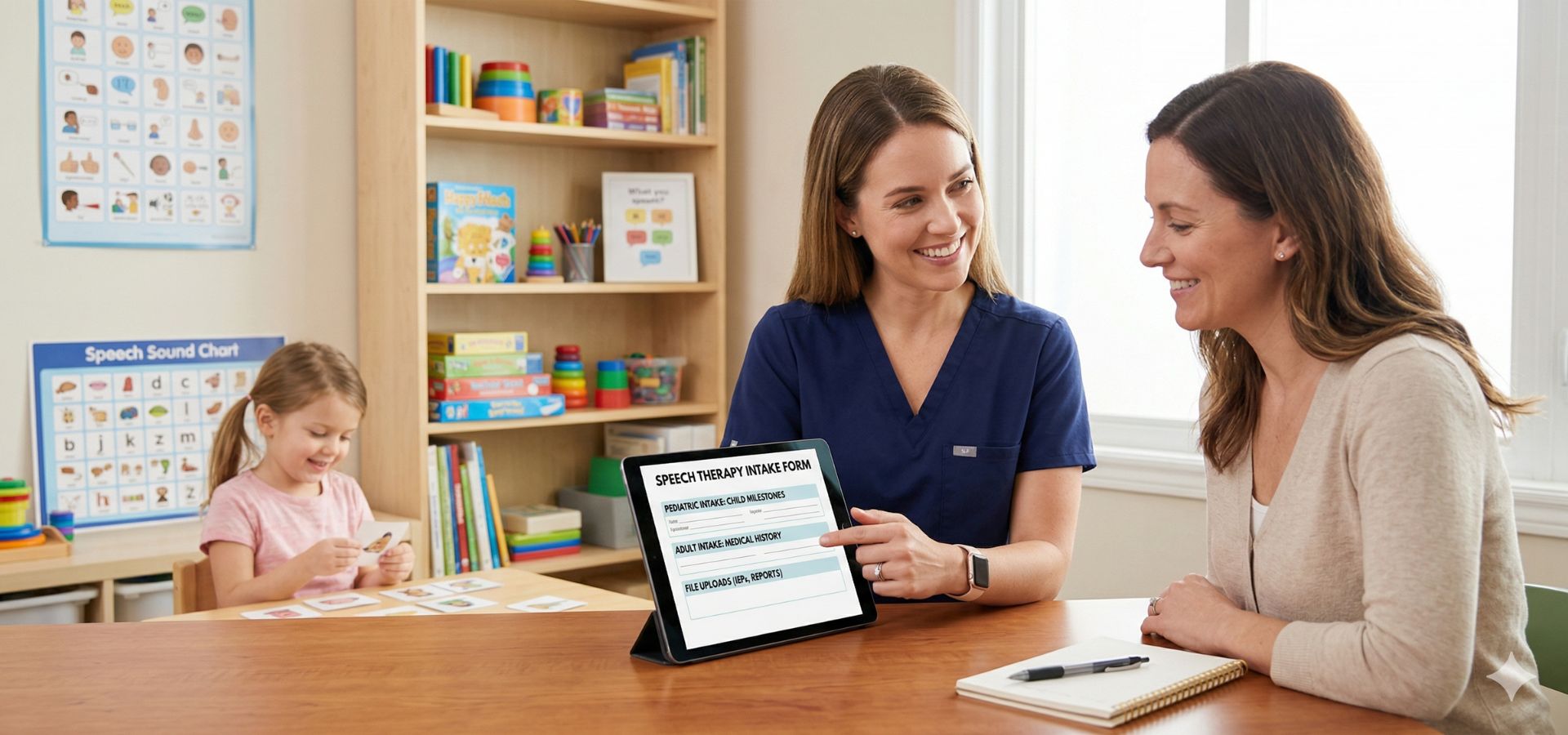
By upgrading to digital speech therapy intake forms, you can transform a stressful administrative chore into a seamless patient onboarding experience. Here is how digitizing your intake process saves time, improves clinical outcomes, and keeps your schedule full.

speech therapy intake forms

The Unique Challenge of SLP Onboarding

Speech therapy intake is notoriously detail-heavy. Whether you are working with a toddler experiencing speech delays or an adult recovering from a stroke, you need highly specific data.

When you rely on paper forms, you run into three major roadblocks:

  • Memory Gaps: A parent sitting in a waiting room might not accurately recall the exact month their child spoke their first word or the dates of past ear infections.

  • Missing Documents: SLPs frequently need to review Individualized Education Programs (IEPs), previous hearing tests, or hospital discharge summaries. If patients forget these physical documents at home, the evaluation is incomplete.

  • Wasted Session Time: Spending the first 20 minutes of a paid clinical hour reviewing paperwork builds frustration for both the clinician and the client.


3 Ways Digital Speech Therapy Intake Forms Improve Care

Transitioning your paperwork online isn’t just about saving printer ink; it is a fundamental upgrade to your clinical workflow.

1. You Get Better, More Accurate Information

When you send intake forms digitally prior to the appointment, patients and caregivers can complete them from the comfort of their own homes. This gives them the time to check baby books for milestones, find exact dates of medical procedures, and articulate their primary concerns thoughtfully.

2. Secure File Uploads Before Day One

Modern secure online forms allow patients to upload necessary files directly into your system. You can review IEPs, audiology reports, and insurance details well before the client walks through the door, allowing you to tailor your initial assessment accurately.

3. Lower Cancellation Rates

Completing a comprehensive intake form is a psychological micro-commitment. When a patient or parent invests 15 minutes into detailing their history and signing consent forms, their likelihood of no-showing drops significantly.


What to Include in Your SLP Intake Forms

Because SLPs treat such a wide demographic, a “one-size-fits-all” form rarely works. It is best practice to have distinct forms for pediatric and adult patients. Here are the crucial elements to include in your customized speech therapy intake forms:

Section Pediatric Intake Focus Adult Intake Focus
Primary Concern What are the parents’ / teachers’ main concerns regarding the child’s communication? What are the patient’s specific challenges regarding speech, swallowing, or cognition?
Medical History History of ear infections, hearing tests, tongue-tie, and birth complications. History of stroke, TBI, neurodegenerative diseases, or recent surgeries.
Milestones Ages for babbling, first words, combining words, walking, and feeding transitions. Baseline of previous functional independence (employment, daily living tasks).
Social / Environment School performance, IEP status, interaction with peers and siblings. Living situation, caregiver support, and occupational demands.
Consents Consent to treat a minor, release of information to schools/pediatricians. Standard consent to treat, billing agreements, PIPEDA/PHIPA privacy acknowledgments.

Automate Your Onboarding with CompanyOn

To truly streamline the patient intake process, your forms need to be connected to the rest of your practice. Using standalone PDF generators or basic online surveys often creates more administrative work as you manually transfer that data into a patient’s chart.

CompanyOn provides Canadian Speech-Language Pathologists with an all-in-one platform specifically designed to eliminate this friction.

With CompanyOn, you can:

  • Automatically trigger specific digital intake packages (Pediatric vs. Adult) the moment an appointment is booked.

  • Securely collect legally binding e-signatures and file uploads (like IEPs or medical records) directly into the patient’s PIPEDA-compliant file.

  • Centralize all patient communications through a secure “One-Inbox” system, keeping you out of your personal email and text messages.

Your expertise is in diagnosing and treating communication disorders, not chasing down missing paperwork. Upgrade your speech therapy intake forms with CompanyOn and start every new patient relationship feeling prepared, professional, and entirely focused on their care.

Ready to make the switch?

Try Our Platform Free for 14 days.

See CompanyOn in Action

Schedule A Free 1:1 Personalized Demo

Occupational Therapy SOAP Note Template: What to Include

As an Occupational Therapist (OT), your primary goal is to help clients build the skills they need to perform daily activities and regain their independence. Your days are incredibly hands-on, involving everything from fine motor skill exercises and sensory integration to assessing home environments.

However, when the hands-on work ends, the administrative burden begins. For many OTs, clinical documentation is the most time-consuming and exhausting part of the day. If you are starting from a blank page after every session, you are risking burnout and losing hours of unpaid time.

The best way to streamline your documentation is by utilizing a standardized occupational therapy SOAP note template. This format ensures your clinical reasoning is clear, your records are legally compliant, and your progress tracking is effortless. Here is exactly what to include in your OT SOAP notes, and how moving to digital charting can transform your practice.

Direct Billing for Massage Therapists in Canada: What to Know

What is a SOAP Note in Occupational Therapy?

The SOAP note is a universally recognized documentation method used by healthcare professionals. It provides a structured, easy-to-read framework that proves the medical necessity of your interventions and tracks a client’s progress over time.

SOAP stands for Subjective, Objective, Assessment, and Plan. While the framework is standard, the way an OT fills it out is highly specific to activities of daily living (ADLs), functional mobility, and cognitive processing.

Here is a breakdown of what belongs in each section of your occupational therapy SOAP note template.

1. Subjective (S)

This section captures the client’s (or their caregiver’s) perspective on their current condition, progress, and challenges. It is the “story” behind the session.

What to include:

  • Direct quotes from the client regarding their pain levels, mood, or fatigue.

  • Reports on how they performed their home exercise program (HEP) or functional tasks since the last visit.

  • Caregiver feedback regarding the client’s independence at home.

  • Example: “Client reports feeling frustrated when trying to button his shirt this morning. Mother states he completed his sensory diet exercises 3 times this week.”

2. Objective (O)

The objective section is strictly for measurable, observable, and factual data. This is where you document exactly what happened during the session, removing all personal bias.

What to include:

  • Vital signs or pain scales (if applicable).

  • Specific interventions used (e.g., therapeutic exercises, neuro-rehabilitation, ADL training).

  • Measurable data (e.g., range of motion degrees, grip strength in pounds, duration of task completion).

  • The level of assistance required (e.g., Max A, Mod A, Min A, Standby Assist, Independent).

  • Example: “Client participated in 30 mins of fine motor coordination activities. Required Mod A to manipulate 1/2 inch pegs into a pegboard. Right grip strength measured at 15 lbs.”

3. Assessment (A)

This is the most critical part of the note. The assessment is where you apply your clinical reasoning to interpret the Subjective and Objective data. How is the client doing? What do the numbers actually mean?

What to include:

  • An analysis of the client’s progress toward their specific OT goals.

  • Any barriers to progress (e.g., decreased attention span, increased spasticity).

  • The professional justification for why ongoing occupational therapy is medically necessary.

  • Example: “Client demonstrates a 10% improvement in fine motor control compared to last week, indicating positive response to current interventions. Decreased frustration tolerance remains a barrier to fully independent dressing.”

4. Plan (P)

The plan outlines the clear next steps for the client’s treatment. It should leave no ambiguity for you or any other practitioner who might read the chart.

What to include:

  • Frequency and duration of upcoming sessions (e.g., 1x/week for 4 weeks).

  • Specific interventions planned for the next session.

  • Updates or additions to the Home Exercise Program (HEP).

  • Referrals to other specialists if necessary.

  • Example: “Continue OT 1x/week to focus on upper extremity strengthening and ADL independence. Next session will introduce adaptive equipment for shoe tying. Instructed caregiver on new tactile desensitization techniques.”


Quick Reference: OT SOAP Note Cheat Sheet

To keep your charting fast and accurate, here is a quick reference table you can use as a mental checklist before finishing a note:

Section Question to Answer Key OT Elements to Include
Subjective What did the client/caregiver tell me? Pain levels, ADL struggles at home, adherence to homework.
Objective What did I observe and measure? ROM, strength, levels of assistance (Min/Mod/Max), tasks performed.
Assessment What is my professional clinical opinion? Progress toward goals, barriers, justification for ongoing OT.
Plan What happens next? Next session frequency, future interventions, equipment recommendations.

Why Digital Charting Beats Paper and Word Docs

Having a great template is step one, but where that template lives is just as important. Relying on physical paper files or copying and pasting Microsoft Word documents creates major bottlenecks for small clinics.

By upgrading to a modern clinical software system, you can:

  • Save Hours of Admin Time: Digital systems allow you to pre-load your occupational therapy SOAP note template with checkboxes, drop-down menus, and auto-populated client data.

  • Ensure Total Compliance: Keeping files in a locked cabinet or a standard Google Drive is risky. Dedicated practice management software ensures your notes are strictly PIPEDA and PHIPA compliant.

  • Connect the Whole Patient Journey: When your charting is integrated with your scheduling and your streamlined patient intake process, you have a complete, secure history of the client from their very first click to their latest treatment note.


Streamline Your OT Practice with CompanyOn

Occupational therapists need tools that give them their time back. Small clinics shouldn’t have to navigate clunky, hospital-grade software just to write a simple treatment note.

With CompanyOn, allied health professionals in Canada get an intuitive, all-in-one platform designed for independent practitioners.

With CompanyOn, you can:

  • Create and customize secure clinical charting templates that fit your exact workflow.

  • Seamlessly manage your patient communication system and scheduling in one dashboard.

  • Keep all clinical data, billing, and signed consent forms in one fully compliant, encrypted space.

Stop spending your evenings catching up on paperwork. Digitize your SOAP notes, organize your practice, and get back to focusing on your clients’ success with CompanyOn.

Ready to make the switch?

Try Our Platform Free for 14 days.

See CompanyOn in Action

Schedule A Free 1:1 Personalized Demo
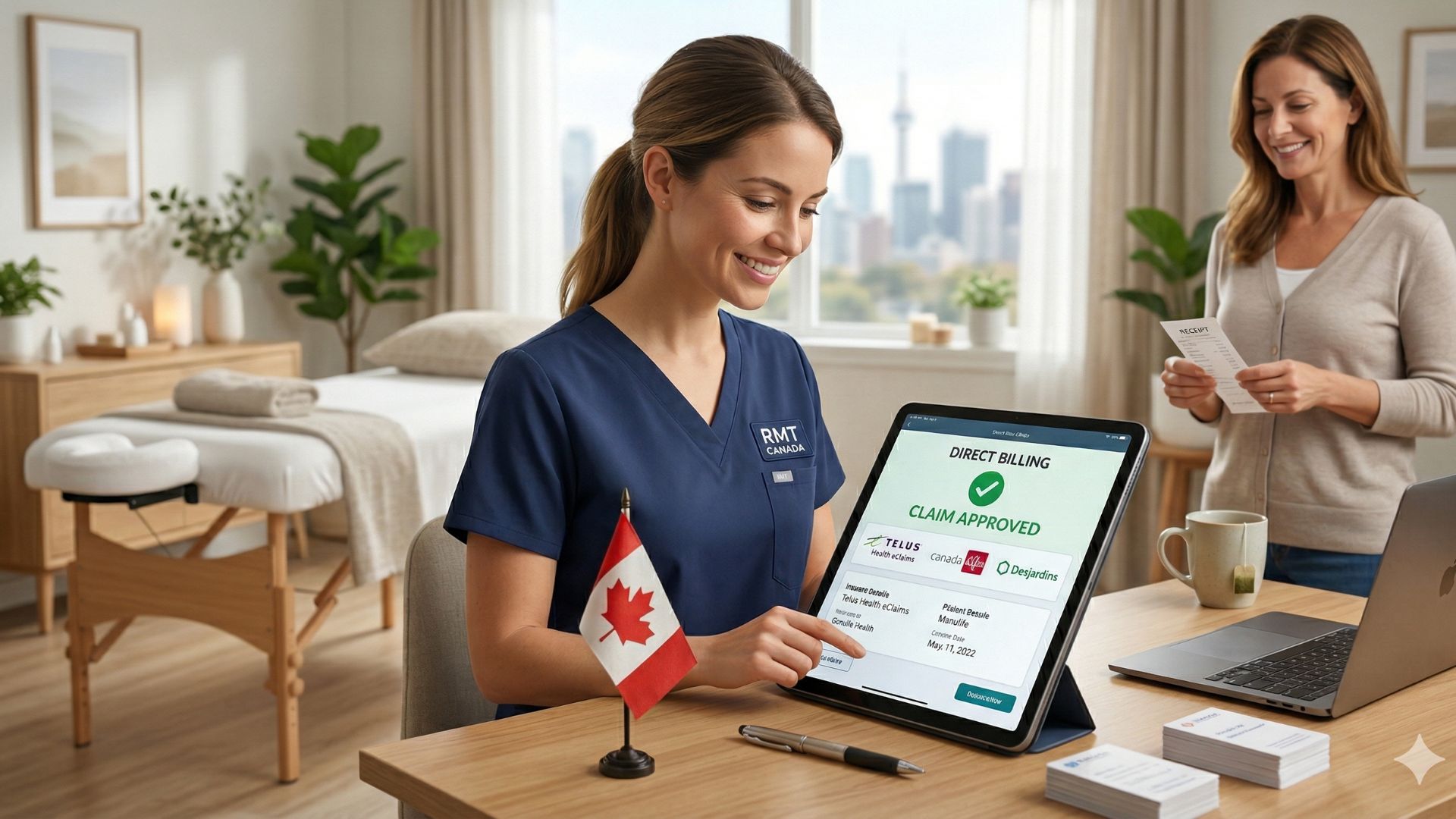
Direct Billing for Massage Therapists in Canada: What to Know

As a Registered Massage Therapist (RMT) in Canada, your daily focus is intensely physical and deeply patient-centered. You spend hours assessing mobility, releasing muscle tension, and facilitating healing. The absolute last thing you want to do after a long day of treating patients is sit behind a screen, wrestling with insurance portals and reconciling unpaid invoices.

Yet, from the patient’s perspective, the way they pay for their treatment is just as important as the treatment itself. With the rising cost of living, many Canadians rely heavily on their extended health benefits to afford massage therapy. The ability to use those benefits seamlessly—without paying out of pocket and submitting receipts manually—is often the deciding factor when they choose a clinic.

Implementing direct billing for massage therapists in Canada is one of the most powerful ways to grow your practice, but it can quickly become an administrative nightmare if you don’t have the right systems in place. Here is a comprehensive guide to understanding the direct billing landscape, anticipating the roadblocks, and leveraging software to keep your practice running flawlessly.

Direct Billing for Massage Therapists in Canada: What to Know

The Business Case: Why Direct Billing is Non-Negotiable

While registering for direct billing requires an initial investment of your time, the long-term payoff for your clinic’s growth is undeniable.

  • It Drives New Client Acquisition: If you look at Google search trends, queries like “RMT near me direct billing” are incredibly high. If your clinic does not offer this service, you are instantly disqualified by a large percentage of potential clients.

  • It Dramatically Improves Treatment Adherence: A patient is far more likely to commit to a 6-week treatment plan if they know their insurance covers 80% to 100% of the cost. When you remove the financial friction of a $120+ upfront payment, patients actually follow through with their care.

  • It Reduces Cancellations and Ghosting: Financial anxiety is a hidden driver of missed appointments. When patients know their benefits will cover the session, they are less likely to cancel at the last minute.


The Direct Billing Landscape in Canada

Unlike the public healthcare system, extended health benefits are managed by a patchwork of private insurance companies. To bill them directly, you must register as an approved provider. Here are the major players you need to know:

1. Telus Health eClaims

This is the absolute must-have portal for any Canadian RMT. Telus Health eClaims covers the vast majority of privately insured Canadians. By registering once, you gain access to submit claims to over 30 insurance companies, including:

  • Canada Life

  • Manulife

  • Sun Life

  • Desjardins

  • ClaimSecure

2. ProviderConnect

This portal is essential for billing Green Shield Canada, SSQ Insurance, and Medavie Blue Cross. Medavie is particularly important if you plan to treat Veterans Affairs Canada (VAC) or RCMP members.

3. Region-Specific Portals

Depending on your province, you may need to register for specific local portals. For example, if you practice in British Columbia, registering with Pacific Blue Cross (PBC) and ICBC (for motor vehicle accidents) is critical. In Ontario, you may navigate WSIB for workplace injuries.


The Standard Direct Billing Workflow

Once you have received your provider numbers from your provincial college (e.g., CMTO, CMTBC) and registered with the portals, the daily workflow looks like this:

  • Information Gathering: Collect the patient’s insurance provider, policy number, member ID, and explicit consent to bill on their behalf.

  • Treatment Delivery: Perform the massage therapy session.

  • Claim Submission: Log into the respective portal (e.g., Telus eClaims) and submit the exact billing codes, treatment duration, and cost.

  • Adjudication: The portal will instantly tell you how much the insurance covers (e.g., $100) and how much the patient owes (the co-pay, e.g., $20).

  • Collection & Reconciliation: You collect the $20 co-pay from the patient before they leave, and the insurance company deposits the remaining $100 into your bank account a few days later.


The Hidden Administrative Roadblocks

While the process sounds simple on paper, independent RMTs often run into stressful operational bottlenecks.

  • The “Co-Pay” and Split Invoicing: If an insurer only covers a percentage of the visit, you have to split the payment. You need an invoice that clearly shows the total cost, the portion paid by insurance, and the patient’s remaining balance. Doing this manually in a word processor is a massive time sink.

  • Coordination of Benefits (CoB): Sometimes a patient is covered by their own plan and their spouse’s plan. Navigating secondary insurance claims requires careful documentation and exact receipt generation, or the secondary claim will be rejected.

  • Data Entry Errors: Manually typing a 10-digit policy number into a web portal while the next patient is waiting in the lobby is a recipe for typos. A single wrong number results in a rejected claim.

  • Pending Claims: Occasionally, an insurer will hold a claim for manual review (“Pending” status). You need a system to track these pending claims so you don’t forget to collect the money weeks later.


How to Optimize Your Billing with Clinic Software

To survive and thrive, you must digitize and automate as much of this workflow as possible. Instead of treating your clinical notes, your schedule, and your billing as three separate chores, modern practice management software consolidates them.

Step 1: Automate the Insurance Intake

Stop asking patients to fill out paper clipboards in your waiting room. By designing a seamless patient onboarding experience, you can send digital intake forms the moment a client books. Require them to upload photos of their insurance cards and sign the direct billing consent forms from their smartphone at home.

Step 2: Ensure PIPEDA Compliance

When you collect sensitive insurance and medical data, it must be stored securely. Using basic email or personal cloud drives violates Canadian privacy laws. Your software must be fully compliant with PIPEDA and provincial acts like PHIPA.

Step 3: Streamline Split Payments and Invoicing

Your software should handle the math. When a session ends, the system should allow you to log the insurance coverage amount and instantly generate an accurate, compliant receipt for the remaining client balance.


Elevate Your RMT Practice with CompanyOn

Managing insurance portals is an inevitable part of being a successful RMT, but it shouldn’t consume your evenings and weekends. Independent practitioners need intuitive, reliable tools that simplify the business side of massage therapy.

With CompanyOn, Canadian RMTs can consolidate their practice management into one beautifully simple, secure platform.

How CompanyOn transforms your daily operations:

  • Digital Onboarding: Use secure online forms to automatically collect extended health benefit details, medical histories, and legally binding e-signatures before the client even arrives.

  • Effortless Financials: Generate crystal-clear invoices that track partial insurance payments, manage client co-pays, and keep your bookkeeping organized.

  • Integrated Payments: Process secure online credit card payments for remaining balances without the need for clunky physical terminal hardware.

  • The “One-Inbox” System: Keep all your client communication, clinical notes, and billing history perfectly organized in one centralized dashboard.

You trained to be a massage therapist, not a full-time medical biller. Stop letting administrative friction dictate your schedule. Simplify your direct billing workflow, protect your time, and elevate your patient experience with CompanyOn today.

Ready to make the switch?

Try Our Platform Free for 14 days.

See CompanyOn in Action

Schedule A Free 1:1 Personalized Demo