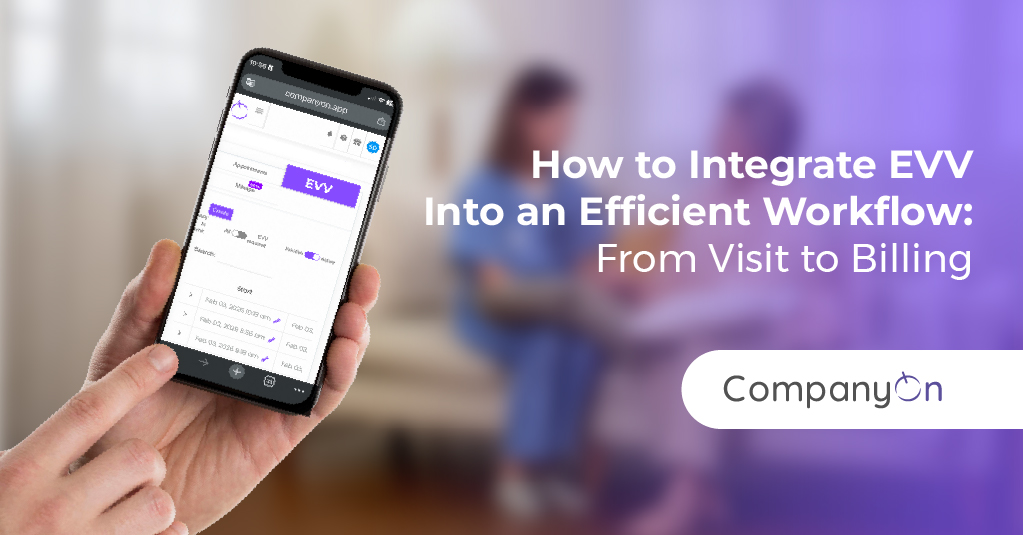
How to Integrate EVV Into an Efficient Workflow: From Visit to Billing

by | Feb 17, 2026 | Best Practice tips

Electronic Visit Verification (EVV) is no longer optional for many home care providers—it’s a requirement. But there’s a big difference between “we have EVV because we must” and “we’ve built an EVV workflow in home care that actually makes our operations clearer and faster.”

When EVV lives in its own silo—separate from scheduling, documentation, and billing—it often adds more work:

  • Caregivers feel they’re entering the same data twice.

  • Coordinators are stuck reconciling visit records by hand.

  • Billing teams still chase missing information at the end of the month.

The real power of EVV appears when you connect it to every stage of your workflow: from scheduling to visit tracking to home care billing automation. That’s where you reduce errors, speed up payments, and make compliance almost automatic.

In this article, we’ll walk through how to design a connected EVV workflow and what EVV scheduling integration looks like in practice.

Evv

Why EVV Alone Is Not Enough

At its core, EVV tells you:

  • Who provided the visit

  • Who received the service

  • When and where the visit happened

That’s essential—but not sufficient.

If this data doesn’t connect to your:

  • Scheduling system

  • Documentation and care notes

  • Billing and claims workflows

…then your team is still doing heavy manual work to bridge the gaps.

If you need a broader context before diving into workflow design, you can start with:

Once you understand the “why,” the next step is building the “how.”


The Foundation: A Simple EVV Workflow in Home Care

A streamlined EVV workflow in home care usually follows these core stages:

  1. Scheduling
    Visits are planned based on authorizations, staff availability, and geography.

  2. Pre-visit preparation
    Caregivers can see where they’re going, what services are needed, and any special notes.

  3. EVV check-in and check-out
    The visit is verified electronically via a mobile app or compatible tool.

  4. Documentation tied to the visit
    Notes, tasks, and signatures are linked directly to that EVV record.

  5. Review and approval
    Exceptions (missed visits, time changes, location issues) are resolved.

  6. Billing and payment
    Verified visits flow into home care billing automation, claims, and patient invoices.

To see how this connects from end to end, you can dive into EVV-ready workflows from home care booking to billing.

Now let’s break down each step and see where integration makes the biggest impact.


Step 1: EVV Scheduling Integration—Start With the Calendar

A strong EVV workflow starts with the schedule, not with the visit.

EVV scheduling integration means:

  • Every booked visit already contains the data EVV will need:
    – Client, caregiver, service type, time, and location.

  • Scheduling rules prevent unauthorized or overlapping visits from being created.

  • Coordinators see real-time staff availability and travel constraints.

Practically, that looks like:

  • Using a centralized scheduling system, not spreadsheets or text messages.

  • Linking visits to service authorizations so you don’t over-schedule hours.

  • Planning routes in a way that respects both EVV requirements and staff wellbeing.

If you’re still building your scheduling foundation, these resources can help:

When scheduling, routing, and EVV are connected, your day starts organized instead of reactive.


Step 2: Visit Execution and Real-Time Tracking

Once visits are scheduled, the next step is supporting caregivers in the field.

In an integrated EVV workflow, caregivers can:

  • View their daily schedule from a mobile device.

  • Use built-in navigation or route maps to reach each home efficiently.

  • Check in and out electronically at the time of the visit.

This creates a real-time view of operations for your office team:

  • Which visits are in progress, completed, late, or missed.

  • Where staff are geographically, helping with urgent reassignments.

  • Which visits have exceptions that may affect billing or compliance.

Tools like clients route map and the digital playbook for managing small home nursing teams show how routing and field visibility support this layer of the workflow.


Step 3: Documentation Linked Directly to EVV Visits

A verified visit is important—but payers and auditors also care about what happened during that visit.

In an efficient EVV workflow:

  • Care notes are completed inside the same system used for EVV.

  • Tasks, care plans, and checklists are tied to the specific visit record.

  • Client signatures or acknowledgments are captured digitally when needed.

This means that if a claim is questioned or an audit occurs, you can quickly show:

  • When the visit took place (EVV).

  • What was done during the visit (documentation).

  • Who confirmed services and how (signatures, notes).

You avoid loose paper notes and reduce the risk of inconsistent documentation styles. For practical guidance, see:


Step 4: Home Care Billing Automation Connected to EVV

This is where you move from “compliance tool” to cash flow engine.

When EVV, documentation, and billing are integrated:

  • Only verified, completed visits move into billing.

  • Service codes and units are pulled automatically from the visit record.

  • Payer-specific rules can be applied before claims are submitted.

This kind of home care billing automation helps you:

  • Reduce rejected claims caused by missing or inconsistent visit data.

  • Shorten the time from visit delivery to payment.

  • Decrease manual reconciliation between care teams and billing staff.

If you’re looking to modernize this part of your workflow, explore:

The goal is simple: visits flow smoothly from EVV verification to invoice or claim, with minimal manual handling.


Step 5: Reporting, Audits, and Continuous Improvement

Once your EVV workflow is integrated end-to-end, your data becomes a strategic asset.

You can track:

  • Visit completion rates and on-time performance.

  • Average travel time between visits.

  • Exceptions that frequently delay billing (e.g., missing signatures).

  • Revenue cycle metrics, like days from visit to payment.

These insights help you:

  • Fine-tune schedules and routes.

  • Identify training needs for documentation or EVV use.

  • Prepare confidently for audits and payer reviews.

For more structure around metrics and quality, check out:


A Day in the Life of an Integrated EVV Workflow

To make this more concrete, here’s a simple scenario:

  1. Day before:

    • Visits are scheduled in a central system, with EVV rules and routing applied.

  2. Morning of:

    • Caregivers open their schedule in a mobile app, see their visits and routes, and head out.

  3. During each visit:

    • Caregivers check in via EVV, complete tasks and notes, and check out—all in one place.

  4. End of day:

    • Supervisors quickly review flagged exceptions (late visits, location discrepancies).

  5. End of week:

    • All verified visits feed into home care billing automation.

    • Claims and invoices are generated with minimal manual entry.

  6. End of month:

    • Management reviews EVV and billing reports to refine schedules, staffing, and training.

This is the kind of flow described in more depth in EVV-ready workflows from home care booking to billing.


How CompanyOn Supports EVV Integration From Visit to Billing

CompanyOn was designed to help home care providers move from scattered tools to cohesive, digital workflows.

With CompanyOn, you can:

  • Build an EVV workflow in home care that connects booking, EVV, documentation, and billing.

  • Use EVV scheduling integration so every visit starts with the right data and structure.

  • Support mobile teams with route maps, visit tracking, and easy documentation.

  • Implement home care billing automation so verified visits become clean claims and invoices.

  • Run more of your operations from your phone or tablet, as shown in how to run your entire healthcare practice from your phone.

If you’re still shaping your overall digital strategy, you might also find these helpful:


Final Thoughts: Make EVV Work for You, Not Against You

EVV doesn’t have to be a burden or a box to tick. When you design an integrated workflow that connects scheduling, visits, documentation, and billing, EVV becomes:

  • A source of clarity for your operations

  • A safeguard for compliance and audits

  • A driver of faster, more predictable payments

By focusing on EVV scheduling integration, field-friendly tools, and home care billing automation, you can turn EVV into the backbone of a more efficient, sustainable home care business.

If you’re ready to move beyond basic compliance and build an EVV workflow that truly supports your team, CompanyOn can help you design and implement the digital workflows you need—from visit to billing.

Ready to make the switch?

Try Our Platform Free for 14 days.

See CompanyOn in Action

Schedule A Free 1:1 Personalized Demo

Latest Post

Blog Categories