Is your practice compliant with HIPAA and PIPEDA? A quick checklist

If you handle patient information in the U.S. or Canada, privacy compliance isn’t optional—it’s the foundation of trust. This quick checklist distills what small clinics and solo practices need to confirm for HIPAA (U.S.) and PIPEDA (Canada). Use it to spot gaps fast, prioritize fixes, and document your due diligence. Then operationalize with the tools you already use for scheduling, charting, e-consents, and records.

If you’re still relying on phone calls, back-and-forth texts, or paper calendars, you’re not only losing valuable time—you’re likely losing clients too.

HIPAA PIPEDA compliance for clinics

The quick HIPAA + PIPEDA compliance checklist

1) Governance & accountability

  • Appoint a privacy/security lead and define responsibilities (policies, training, incident response, audits).

  • Written privacy & security policies that reflect how your clinic actually works (collection, use, disclosure, retention, destruction).

2) Patient rights & consent

  • Obtain and document valid consent; give clear purposes and options to withdraw consent (PIPEDA). Provide patients access to their information and a process to correct it.

  • Minimum necessary: under HIPAA, limit PHI access/disclosure to what’s needed for the task.

  • Standardize intake & e-consents with structured templates to reduce errors and prove authorization.

3) Security safeguards (administrative, physical, technical)

  • Do a Security Risk Analysis (SRA) at least annually and when you change systems or workflows. Address findings with a remediation plan. (HIPAA Security Rule.)

  • Administrative safeguards: role-based access, workforce training, incident response plan, vendor management. (HIPAA.)

  • Physical safeguards: secure facilities/devices; restrict workstation and device access/storage/disposal. (HIPAA, 45 CFR §164.310.)

  • Technical safeguards: unique user IDs, strong authentication, audit logs, encryption in transit/at rest where reasonable, automatic logoff. (HIPAA.)

  • PIPEDA safeguards: protect personal information proportionate to sensitivity—administrative, technical, and physical measures.

4) Breach response & reporting

  • Define “breach” and your internal triage steps.

  • HIPAA notifications: if unsecured PHI is breached, notify affected individuals without unreasonable delay and no later than 60 days; notify HHS (and sometimes media) per thresholds.

  • PIPEDA notifications: report breaches that pose a real risk of significant harm (RROSH) to the Privacy Commissioner of Canada and notify affected individuals as soon as feasible; keep a record of every breach for 24 months, even if not reportable.

5) Vendors, sharing & cross-border data

  • HIPAA Business Associate Agreements (BAAs) with any vendor that handles PHI (EHR, billing, messaging, backups). Include breach duties and safeguards.

  • PIPEDA contracts: ensure comparable protection when using service providers, including those outside Canada; be transparent about practices. (Accountability + Openness principles.)

6) Retention, destruction & data lifecycle

  • Retention schedules: keep records only as long as necessary (and as required by health-records laws), then securely destroy or anonymize. (PIPEDA: Limiting Use, Disclosure, and Retention.)

  • Media/device sanitization and documented disposal processes. (HIPAA Security Rule.)

7) Training, audits & continuous improvement

  • Annual privacy & security training for all staff; onboarding for new hires; phishing/social-engineering drills. (HIPAA Security Rule expects ongoing workforce security.)

  • Internal audits & spot checks: verify access logs, consent capture, and breach-record keeping; correct issues quickly.


Red flags that mean “fix this now”

  • Shared logins or weak passwords; no unique user IDs. (HIPAA Technical Safeguards.)

  • No documented SRA in the last 12 months. (HIPAA enforcement focus.)

  • Missing breach-response playbook or breach logs (PIPEDA 24-month record duty).

  • Paper consent forms scattered across locations with no retention plan.

  • Vendors handling PHI without a BAA (HIPAA).


Quick note on evolving rules (2025+)

HHS has proposed updates to strengthen the HIPAA Security Rule (e.g., MFA, encryption, more detailed SRAs and incident response). Track these developments so your controls stay current as rules finalize.


How CompanyOn helps you operationalize compliance


Conclusion

Compliance is not about perfection—it’s about proof. With a named owner, written policies, strong safeguards, vendor contracts, a working breach plan, and regular training/audits, you’ll satisfy the core expectations of HIPAA and PIPEDA and protect what matters most: patient trust. Use this checklist to close gaps now, then revisit it quarterly to stay ready as regulations evolve.

Ready to make the switch?

Try Our Platform Free for 14 days.

See CompanyOn in Action

Schedule A Free 1:1 Personalized Demo

How to Prepare Your Clinic for 2026: More Patients, Less Admin

You want to grow in 2026 without adding hours of paperwork or friction for your team. This practical plan brings together clinic growth strategies you can apply today: self-service scheduling, digital intake, faster clinical documentation, frictionless payments, and a simple online presence that attracts and retains patients—all with steps you can implement quickly.

If you’re still relying on phone calls, back-and-forth texts, or paper calendars, you’re not only losing valuable time—you’re likely losing clients too.

online booking for therapists

1) Tighten operations: less admin, more capacity

Scaling multiplies what already exists. If your processes are well designed, adding patients won’t add stress.

Start with scheduling. Turn on 24/7 online booking so patients can self-serve, and pair it with automated reminders to cut no-shows. A solution like the Online Booking System plus tactics from Adopting Appointment Reminders to Increase Revenue and Decrease No-Shows means fewer calls, fewer gaps, more clinical time.

Digitize intake. Pre-visit forms, e-consents, and standardized data make first appointments flow. If you’re still using paper or scattered emails, move to Online Forms to capture essentials before the patient arrives. You’ll gain accuracy and show up with context.

Make documentation faster. Structured templates and smart text reduce “screen time” without losing quality. A modern EHR like Electronic Health Records helps you close notes the same day and maintain consistency across clinicians—crucial as volume grows.

2) Simplify money: clear billing, easy payments

The financial experience shapes patient satisfaction (and your cash flow). Link invoices to clinical notes, offer online payments, and automate statements. If you’re chasing payments manually, standardize with the playbook in Billing Made Easy—Innovative Solutions for Healthcare Practices. Result: fewer back-and-forths, fewer errors, faster collections.

Signals you need a billing tune-up:

  • Aging A/R with no clear follow-up.

  • Patients unsure what or when to pay.

  • Frequent edits or re-issued invoices due to incomplete data.

3) Be findable: simple, repeatable acquisition

Clinic growth strategies depend on a predictable stream of new patients. Focus on what actually moves the needle.

Local SEO and service pages. Build clear pages by service and city, with real FAQs and visible CTAs. For a framework, see Improving Visibility—SEO Strategies for Medical Practice.

Reputation and patient voice. Ask for reviews at the right moment (after a great experience) and respond professionally. A handful of genuine testimonials on your site and local profiles often outperforms a poorly targeted ad campaign.

Relationships and referrals. Create a simple bridge to aligned professionals (PCPs, physiotherapy, chiropractic, podiatry, etc.). A brief post-referral summary and a secure update channel build trust and sustain demand.

4) Retain better: an experience worth coming back for

Acquisition is expensive; retention compounds value and stabilizes revenue.

Self-service through the portal. Let patients reschedule, complete forms, and access documentation in one place. You’ll cut calls and emails, while patients feel in control. For impact, see Transform Patient Care for Solo Practitioners—The Time-Saving and Communication Benefits of a Patient Portal.

Prevent cancellations. Timely confirmations, clear policies, and easy rescheduling reduce gaps. Combine with brief, personalized education (care sheets, tips between visits) to improve adherence.

Small touches, big loyalty. Post-visit notes with next steps, follow-up messages, and quick pulse surveys create a sense of ongoing support.

5) Scale safely: security and compliance

Growth without governance is fragile. Define role-based access, consent workflows, data retention policies, and light internal audits. With privacy and security built in, you can grow confidently and respond to compliance reviews without fire drills.

6) Measure what matters and document how work gets done

If you don’t measure it, you can’t improve it. Set simple, consistent KPIs:

  • New patients/month and no-show rate.

  • Average time to close clinical notes.

  • Revenue per visit and days to collect.

  • Satisfaction (NPS or 1-minute surveys).

Pair metrics with SOPs for intake, documentation, billing, and follow-ups. It’s not bureaucracy—it’s clarity so anyone new can join without breaking the system.

A realistic 90-day plan

  • Weeks 1–2: Enable online booking and reminders; define visit types and buffer times.

  • Weeks 3–6: Launch pre-visit forms, e-consents, and clinical templates; connect online payments.

  • Weeks 7–10: Publish or refine service pages; set up review requests and a simple referral script.

  • Weeks 11–12: Review KPIs, refine SOPs, fix bottlenecks, and plan the next quarter.

Conclusion

Growth in 2026 is about focus: automate the repetitive, make life easier for patients, and measure the essentials. With online booking, digital intake, faster documentation, clear payments, and a tuned local presence, you’ll add capacity without adding chaos. If you integrate these clinic growth strategies using CompanyOn’s Online Booking, Online Forms, EHR, Patient Portal, and Billing workflows, you’ll have more patients, less admin, and a clinic ready for what’s next.

Ready to make the switch?

Try Our Platform Free for 14 days.

See CompanyOn in Action

Schedule A Free 1:1 Personalized Demo
Online Booking: The First Step to Running a Professional Health Practice

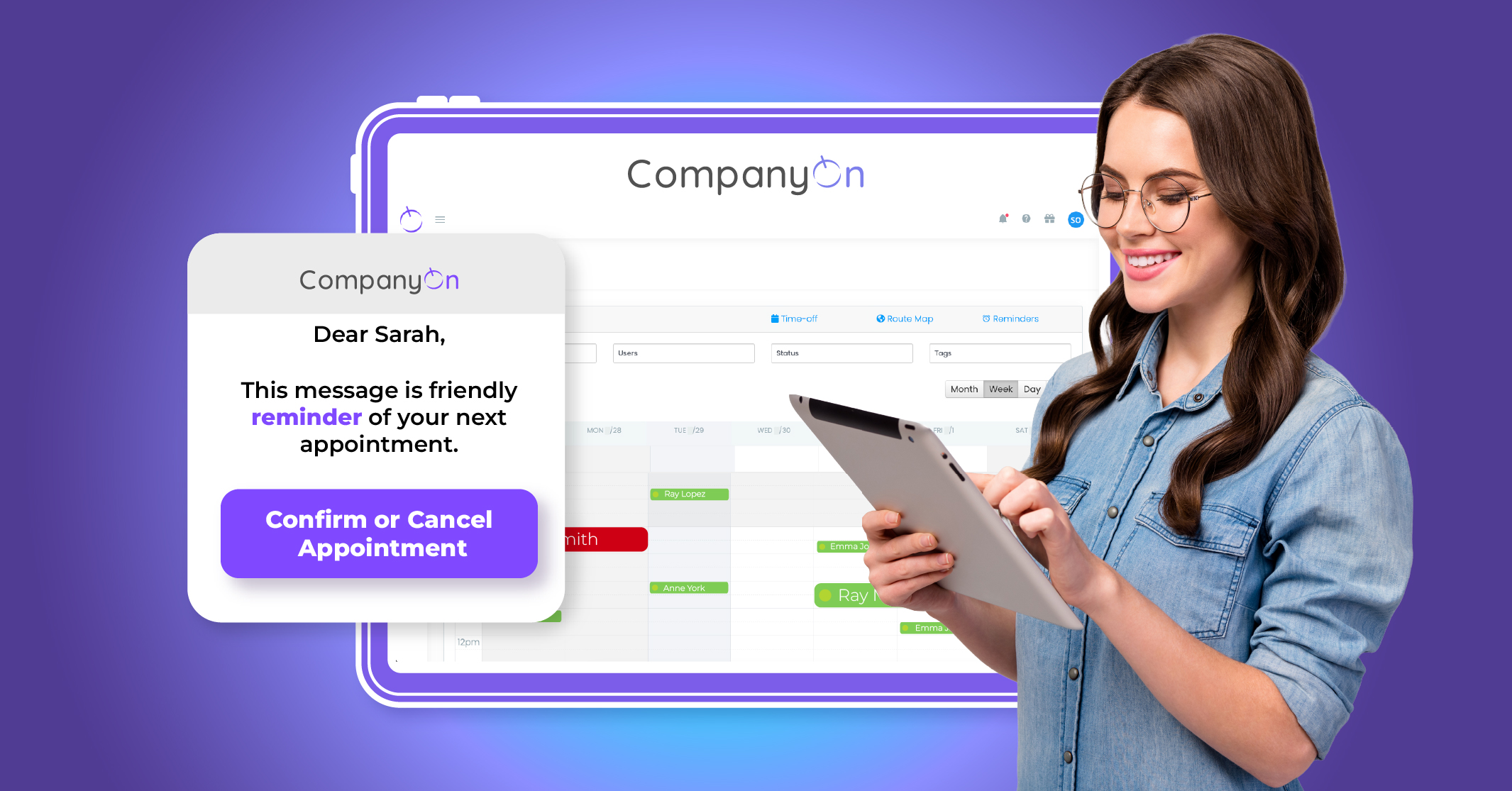
In today’s digital-first world, how clients book their appointments is just as important as the care they receive. For therapists, massage practitioners, and wellness professionals, online booking is no longer a luxury—it’s a foundational step in running a professional, scalable practice.

If you’re still relying on phone calls, back-and-forth texts, or paper calendars, you’re not only losing valuable time—you’re likely losing clients too.

online booking for therapists

The Problem with Manual Booking

Manual booking systems are a hassle—for both you and your clients. Missed calls, double bookings, scheduling errors, and administrative backlogs all add friction to your business operations.

Every time a client has to chase you down to confirm an appointment or reschedule manually, they’re given a reason to delay—or worse, look elsewhere.

A well-designed online booking system solves this by offering a smooth, convenient, and self-service scheduling experience.

Why Online Booking Is a Game-Changer for Therapists

Let’s be clear: online booking for therapists isn’t just about convenience—it’s about credibility and control. Here’s how it helps elevate your practice:

  • 24/7 availability: Clients can book anytime, even after business hours.

  • Fewer no-shows: Automated reminders reduce forgotten appointments.

  • Improved workflow: Syncs directly with your calendar, patient files, and even billing.

  • Professional image: Modern tools signal trust and reliability.

For more on reducing missed appointments, check out: 3 Ways to Reduce No-Show Rates Within Your Practice


Enhancing the Patient Experience from the Start

Your booking system is often the first point of contact with a new client. A clunky or outdated process creates a poor first impression—and in healthcare, first impressions matter.

With platforms like CompanyOn, patients can:

  • See your real-time availability

  • Book appointments instantly

  • Receive confirmations and reminders

  • Reschedule or cancel online if needed

Pair that with features like digital intake forms and e-consents, and you’re delivering a frictionless experience that builds trust from day one.


Save Time, Focus on Care

Therapists are busy enough managing client sessions, documentation, and continuing education. Wasting hours on phone calls or scheduling logistics is an unnecessary drain.

By automating your booking process, you free up mental bandwidth and admin time—allowing you to focus on what really matters: your clients’ wellbeing.

Want to go a step further? Learn how to optimize your clinic’s workflow with smart technology


Real Impact: From Solo Practitioner to Streamlined Operations

Therapists using CompanyOn’s booking feature often report:

  • Increased appointment volume

  • Fewer cancellations and missed sessions

  • A more professional online presence

Whether you’re just starting out or managing a full caseload, a reliable online booking tool is one of the simplest ways to look more established—and operate more efficiently.

Need proof? Check out this article on how to improve patient retention with digital tools.


Final Thoughts

If you want to run a modern, client-friendly, and growth-ready therapy practice, online booking is your first step. It improves the patient experience, reduces your workload, and sets a professional tone for everything that follows.

The best part? It doesn’t require a tech team or a big investment.

👉 Ready to make the switch? Start your free trial or book a demo with CompanyOn today and take the first step toward a more streamlined, professional practice.

Ready to make the switch?

Try Our Platform Free for 14 days.

See CompanyOn in Action

Schedule A Free 1:1 Personalized Demo

How to Build Patient Loyalty in Long-Term Therapy and Chronic Care

In today’s fast-paced healthcare landscape, hands-on practitioners such as massage therapists, reflexologists, and manual therapists can no longer afford to rely on outdated systems like paper-based documentation. Whether you’re running a solo practice or managing a growing clinic, digital clinical notes for therapists aren’t just a convenience—they’re a cornerstone of operational efficiency, professional compliance, and exceptional patient care.

Let’s explore why making the switch to digital is not just a smart move, but a strategic one.

patient retention

Paper Notes: A Hidden Liability

Paper notes might seem harmless, but they come with significant hidden costs: misplaced files, illegible handwriting, inconsistent formats, and time wasted sorting through archives. For practitioners balancing back-to-back appointments, these inefficiencies add up quickly—and often result in compromised documentation, compliance risks, and lost revenue.

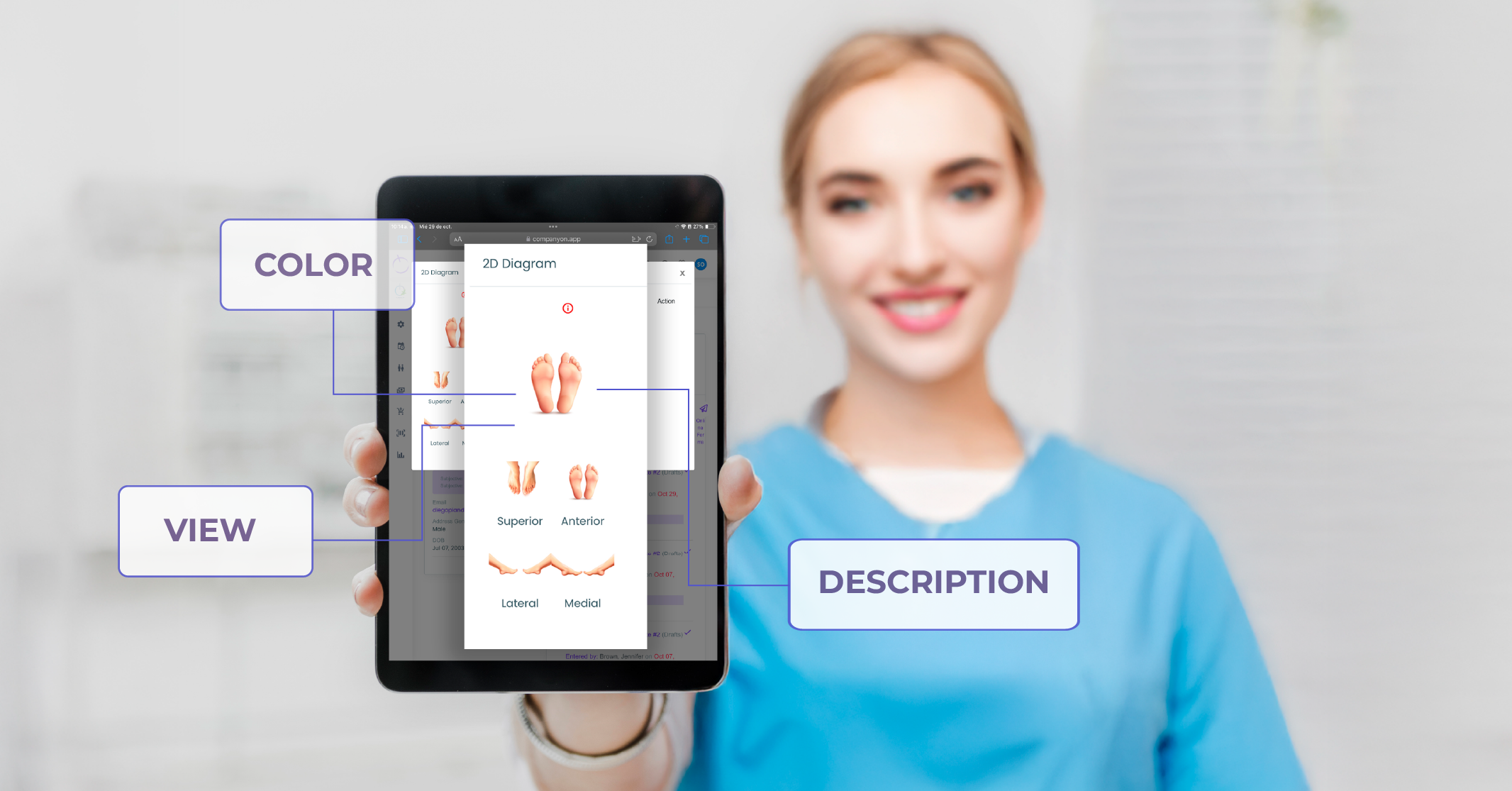
By contrast, platforms like CompanyOn’s charting system offer structured, searchable, and secure alternatives. Therapists can easily log SOAP notes, upload treatment histories, and retrieve records in seconds—all within a clean, digital workspace that integrates seamlessly with booking, billing, and patient communication.


Security and Legal Compliance, Built-In

The healthcare sector is governed by strict privacy laws, particularly in Canada where PHIPA and PIPEDA define clear responsibilities around the collection, storage, and use of client data. Relying on physical folders is not only inefficient—it’s risky.

CompanyOn’s patient management software is designed with security at its core. Features include:

  • Password-protected user access

  • Encrypted cloud storage

  • Real-time audit logs for record edits

  • Automated backups for disaster recovery

This means your documentation doesn’t just look professional—it meets or exceeds legal requirements, protecting both you and your clients.


Enhancing Clinical Accuracy and Continuity of Care

Manual therapy often involves long-term, relationship-based care. Documenting progress accurately is crucial—not only for clinical outcomes but for client confidence and satisfaction.

With digital notes, you can:

  • Review a client’s treatment history before each session

  • Use standardized templates to reduce omissions

  • Add SOAP notes directly during or after appointments

  • Collaborate with colleagues or refer patients with clarity

If you’re aiming to boost the quality and accuracy of your documentation, this resource is worth bookmarking: How to Optimize EHR Documentation for Better Patient Outcomes


A More Professional and Patient-Centric Experience

Your documentation process is part of the overall client experience. Today’s patients expect secure, seamless, tech-enabled interactions—especially when entrusting their health to a hands-on provider.

Digital systems empower patients with:

  • Pre-appointment intake forms and secure e-consents

  • Automatic appointment confirmations and reminders

  • Access to treatment summaries via a patient portal

This creates an environment of transparency and trust—crucial for patient retention in a competitive landscape. You can read more here: How to Improve Patient Retention with Digital Tools


Real-World Proof: A Reflexology Clinic’s Transformation

Consider the example of a small reflexology clinic in Ontario that transitioned from paper to digital using CompanyOn’s system. Within weeks, the team reported:

  • A 40% reduction in time spent on charting

  • Fewer appointment gaps due to automated scheduling

  • Improved client communication and follow-up consistency

“It’s not just about ditching paper—it’s about working smarter, staying compliant, and giving our clients the seamless experience they deserve,” shared the clinic’s owner.

Want more examples? Discover how other therapists are transforming their businesses in this success story.


Final Thoughts: Digital Notes as a Competitive Advantage

For manual therapy practitioners, digital clinical notes represent more than just technology—they are a foundational element of a modern, patient-centered practice. From reducing administrative burden and staying legally compliant to enhancing patient trust and clinical accuracy, the benefits are tangible and immediate.

If you’re still relying on paper files, now is the time to rethink your systems. Digital notes aren’t just about documentation—they’re about differentiation.

👉 Ready to streamline your practice and offer a more professional experience? Book a free demo with CompanyOn and discover how easy it is to transition.

Ready to make the switch?

Try Our Platform Free for 14 days.

See CompanyOn in Action

Schedule A Free 1:1 Personalized Demo
Why Digital Clinical Notes Are Essential for Manual Therapy Practices

In the world of manual therapy—whether you’re a massage therapist, reflexologist, physiotherapist or another hands-on practitioner—your time is valuable. You want to focus on your clients, not paper, filing cabinets or the risks of missing documentation. That’s why moving to digital clinical notes is not just a nice feature—it’s becoming essential for modern practices that want to stay efficient, compliant, and client-centred.

Here’s why adopting digital clinical notes for your therapy practice matters, and how you can implement them to enhance your workflow, security, and patient care.

patient expectations in healthcare

Streamlined Workflow and Time Savings

Paper notes often mean handwriting after the session, sorting files, potentially misplacing items, and spending precious minutes searching for past records. Digital notes change that dynamic entirely. With digital documentation tools like patient charting, therapists save time, reduce errors and quickly retrieve client history.

With digital notes you can:

  • Document the session while details are fresh, reducing inaccuracies.

  • Use templates customized for your modality for consistency and speed.

  • Search and retrieve records in seconds, even between mobile visits or clinics.

Pairing smart workflow automation with your documentation process frees up more energy for what matters most—client engagement and quality care.

Enhanced Security and Compliance

Storing physical files creates risk: damage, loss, or unauthorized access. As regulations tighten, especially around health data, paper documentation can become a liability. Digital clinical notes offer security features that protect your practice.

Benefits include:

  • Encryption and role-based access control

  • Audit logs to track access

  • Automatic backups and disaster recovery

  • Alignment with legal and professional standards

Using tools like e-consent form templates and secure cloud documentation allows you to maintain compliance effortlessly while reassuring clients their information is protected.

Improved Client Care and Continuity

Digital notes aren’t just for internal use—they directly enhance how clients experience care. Reviewing past sessions, planning follow-ups, and ensuring treatment consistency becomes much easier.

You can:

  • Review notes before each session for better treatment personalization

  • Track outcomes and progress over time

  • Collaborate more easily when referrals or multidisciplinary care is needed

Explore how patient management software supports client care from the first appointment to long-term follow-up.

Scalability and Growth

Paper files become a major barrier when your practice grows. More clients means more files, more room for error, and less flexibility.

Digital solutions scale with your needs:

  • Add new practitioners or locations without complicating storage

  • Access records securely from any device

  • Offer mobile visits with access to notes on the go

Practices that move away from manual systems benefit from reduced overhead and greater flexibility. See how strategies to improve appointment scheduling efficiency can complement digital documentation.

How to Transition from Paper to Digital Notes

Moving from paper to digital is easier when broken down into clear steps:

  • Map your current process. Identify documentation types and bottlenecks.

  • Choose a secure digital platform that supports encryption, compliance and mobile access.

  • Create templates based on your treatment style.

  • Train your team (or yourself) and begin using digital notes with current clients.

  • Migrate gradually or digitize only recent and active cases.

  • Monitor feedback and iterate on your process to refine your documentation habits.

Resources like online forms and dynamic forms can help streamline documentation from the start.

Final Thoughts

For manual therapists, digital clinical notes are more than a tech upgrade—they are a strategic advantage. By improving workflow, ensuring compliance, and enhancing client relationships, digital notes help you deliver better care while reducing stress.

With CompanyOn, your practice can evolve confidently into a more efficient, secure and patient-centered operation. Ready to simplify your documentation process? Explore the benefits of using our electronic clinical management platform built for health professionals like you.

Ready to make the switch?

Try Our Platform Free for 14 days.

See CompanyOn in Action

Schedule A Free 1:1 Personalized Demo